ConnectWise is investigating unauthorized access to application identities associated with Cloud Backup, formerly SkyKick, after researchers detected the applications authenticating into customer Microsoft 365 environments.
Introduction to Malware Binary Triage (IMBT) Course
Looking to level up your skills? Get 10% off using coupon code: MWNEWS10 for any flavor.
Enroll Now and Save 10%: Coupon Code MWNEWS10
Note: Affiliate link – your enrollment helps support this platform at no extra cost to you.
A vendor-controlled Microsoft 365 application credential was compromised and used to obtain Microsoft Graph access tokens in customer tenants. ConnectWise subsequently disabled seven application identities and suspended Cloud Backup, SaaS Security, and Cloud Management while investigation and remediation continue.
What Happened in the ConnectWise Incident?
After ConnectWise disclosed the incident on October 16, researchers provided additional technical details showing that suspicious activity had begun at least a day earlier. On October 15, Huntress observed the ConnectWise Cloud Backup application authenticating from 144.172.64[.]128, rather than the Azure private infrastructure normally associated with the service.
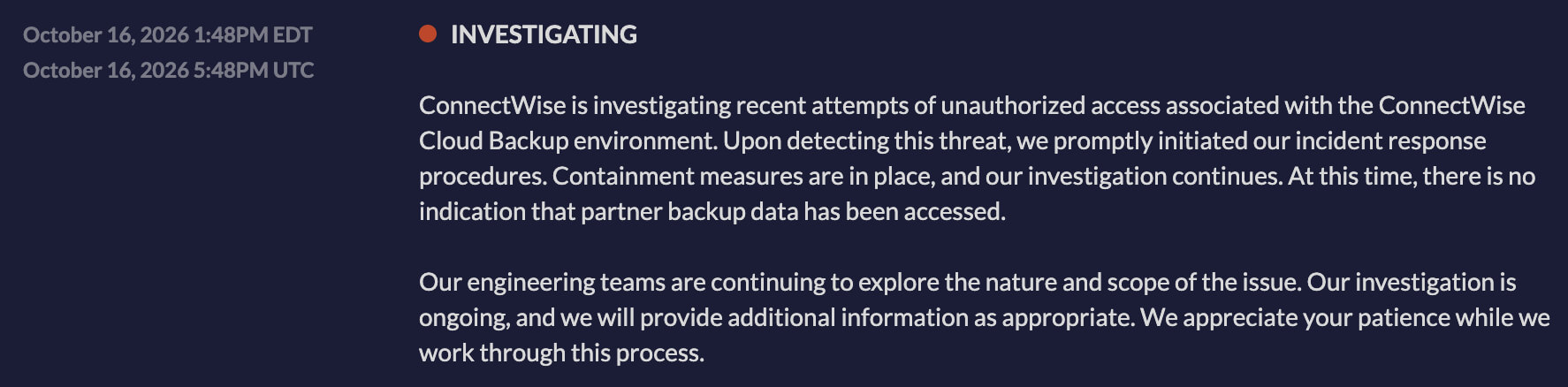 Initial incident alert by ConnectWise
The credential type was a client assertion, meaning authentication used an application credential controlled on the vendor side rather than an individual customer’s password. The credential could request tokens carrying permissions already granted to the ConnectWise application in each consenting tenant.
What Exactly Was Compromised?
ConnectWise describes the incident as unauthorized access to application identities associated with Cloud Backup. Researchers go further, stating that a Cloud Backup API secret was in hostile hands.
This distinction matters because the incident centers on workload identities and service principals, not conventional user accounts. ConnectWise has not publicly established how the credential was originally exposed or whether exploitation of a product vulnerability contributed to the incident.
Why Don’t Password Resets or MFA Solve the Problem?
Application-only authentication has no interactive user, device, or MFA prompt. An attacker who possesses a valid application credential can authenticate as that application and inherit whatever permissions customers previously granted to it.
That is why resetting employee passwords alone does not remove this access path. Organizations need to investigate the affected service principals, application credentials, permissions, and directory roles.
What Data Could the Applications Access?
Cloud backup and management products often require extensive Microsoft 365 permissions. Depending on each tenant’s configuration, these can include mailboxes, OneDrive and SharePoint files, Teams information, and directory data.
A successful token request proves authentication, however, not data theft. It is reported that some Microsoft Graph reads leave limited or no useful audit trail, meaning a lack of visible read events cannot definitively prove that no information was accessed.
How Widespread Was the Activity?
Huntress initially confirmed unauthorized sign-ins in 162 tenants. Its October 17 update said it had identified almost 1,000 Entra tenants with sign-in activity from 144.172.64[.]128, with more than 300 successful authentications.
Some attempts failed because the relevant ConnectWise service principal did not exist in the target tenant. These numbers describe observed authentication activity and should not be interpreted as 1,000 confirmed compromises.
Was the Activity Targeted?
Investigators identified a second wave on October 15 involving 16 tenants in policy, national security, trade, and critical mineral sectors. Most did not use ConnectWise products, and attempts failed where the required service principal was absent.
The first sweep sought Graph tokens through the SkyKick application. A later sweep appeared more manual and targeted Exchange Online, SharePoint Online, Teams, Azure Resource Manager, Entra, and Office 365 Management APIs. The activity has not been attributed to a known threat actor.
Did Attackers Establish Persistence?
In one investigated tenant, researchers observed the ConnectWise Cloud Management – MS Teams application assign itself Global Administrator privileges and then modify two other trusted applications.
New client secrets were added to those applications, creating credentials that could remain usable independently of the original ConnectWise credential. Huntress later observed one of the newly created credentials being used for multiple sign-ins.
This is why disabling the original ConnectWise application is necessary but may not be sufficient. Any attacker-added secrets, certificates, roles, consent grants, or other application identities require separate remediation.
Can the Different Attack Phases Be Tied to One Operator?
Not definitively.
Huntress noted early password spraying from 144.172.64[.]128, role changes, credential creation, and later Cloud Backup sign-ins. However, private Azure IPs were also used, so researchers cannot conclusively link all phases to one actor. That distinction prevents normal vendor automation or unrelated activity from being incorrectly labeled malicious solely because it appeared near the incident timeline.
How Did ConnectWise Respond?
According to the ConnectWise incident status page, the company disabled seven application identities at 07:00 UTC on October 17 and revoked certificates used for affected Cloud Backup connections.
The shared Cloud Backup credentials are no longer valid, but ConnectWise cautions that previously issued access tokens may remain usable until they expire. Disabling the connections also does not reverse permissions, credentials, or other changes already created inside customer tenants.
Which ConnectWise Applications Should Teams Check?
| Application | Client ID |
|---|---|
| Cloud Backup | 506e08f9-6e9a-4da4-942b-a099a03644ae |
| Cloud Management | 2399d300-6fca-4e6a-a686-399fefe75b83 |
| Cloud Management – MS Teams | 24205314-2b89-4e07-a2a4-579e898a5640 |
| Cloud Management – Exchange Online | b78f6a77-d4e5-46fb-87e5-d1648bd02519 |
| Cloud Management – MS Graph | 0de14c77-b9b0-4137-9360-34878a929827 |
| Cloud Management – Partner Center | 412dcf96-176d-4b3a-a1b0-4981ad66971e |
| Cloud Management – SharePoint Online | b2b55f5b-7758-4719-8d8f-88ae172e6bdb |
Older deployments may show SkyKick Cloud Manager names. ConnectWise recommends matching the Application ID rather than relying on the display name.
Was ConnectWise Backup Data Compromised?
ConnectWise says existing Cloud Backup archives remain encrypted, isolated, and preserved, with no evidence that those stored archives were accessed.
That finding does not establish whether live customer Microsoft 365 tenants experienced unauthorized activity. ConnectWise says its Cloud Backup architecture does not give it enough visibility into downstream customer environments to make that determination.
Are ConnectWise Services Still Offline?
As of ConnectWise’s latest status update early October 19, Cloud Backup, SaaS Security, and Cloud Management remain suspended, with no confirmed restoration time.
Scheduled backups, archive access, restores, SaaS Security monitoring and alerting, and Cloud Management user and license management remain unavailable. ConnectWise says it has not observed successful threat activity in the environments it monitors since applying its mitigations.
What Indicators Should Defenders Search For?
| Indicator | Context |
|---|---|
| 144.172.64[.]128 | Primary suspicious authentication infrastructure |
| 144.172.64[.]99 | Additional IP shared by ConnectWise |
| 144.172.64[.]60 | Additional IP shared by ConnectWise |
| Python-urllib/3.12 | Seen during suspicious application activity |
| python-requests/2.31 | Published by ConnectWise |
| curl/7.88.1 | Observed during password spraying |
These are investigation leads rather than standalone proof of compromise. ConnectWise specifically advises distinguishing attempts, successful authentications, configuration changes, and actual data access instead of treating them as equivalent findings.
How Far Back Should Teams Hunt?
ConnectWise’s technical investigation guidance recommends reviewing sign-ins from October 13 through the present and, where log retention allows, extending the search back to October 1.
Teams should check the Service principal sign-ins view rather than only standard user sign-ins, export available Entra and Microsoft 365 audit records, and preserve evidence before retention windows expire.
What Persistence Should Teams Look For?
ConnectWise recommends reviewing application-management and role-management activity for new client secrets, certificates, federated credentials, application owners, consent grants, service principals, and privileged directory roles.
Priority roles include Global Administrator, Privileged Role Administrator, Privileged Authentication Administrator, Application Administrator, Cloud Application Administrator, Exchange Administrator, and SharePoint Administrator. Also review Conditional Access changes and Exchange activity such as mailbox forwarding, inbox rules, permissions, and transport rules.
Assess ConnectWise Third-Party Risk with SOCRadar
The ConnectWise incident shows how a compromised vendor identity can create exposure across many customer environments. SOCRadar’s Supply Chain Intelligence can help teams monitor vendors such as ConnectWise for security incidents, external risk changes, and other third-party warning signals. This can help organizations quickly identify affected suppliers and prioritize which connected environments need review.
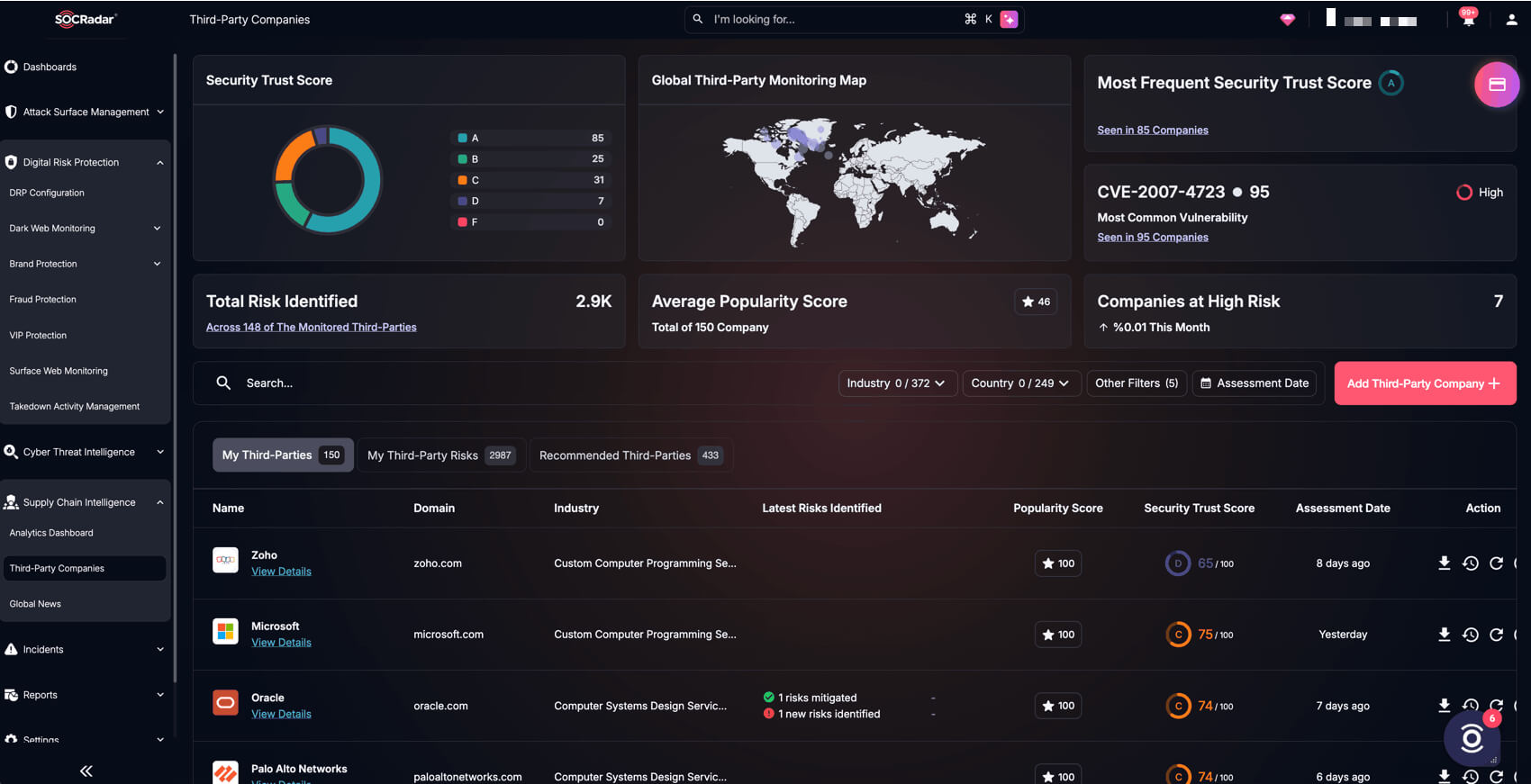 SOCRadar Supply Chain Intelligence module
For tenant-level validation, however, teams still need to correlate that vendor-risk context with their own Microsoft Entra and Microsoft 365 logs.
What Should MSPs and Customers Do Now?
Organizations should:
- Keep affected ConnectWise and legacy SkyKick service principals disabled but not deleted, preserving configuration and forensic evidence.
- Review every MSP and customer tenant for the seven application IDs, suspicious service-principal authentications, privileged role changes, new application credentials, consent grants, and persistence in unrelated trusted applications.
- Search from October 13 onward and extend to October 1 where logs remain available.
- Review mailbox rules, forwarding, delegated access, Conditional Access, application owners, secrets, certificates, and federation changes.
- Preserve Entra, Purview, SIEM, proxy, and firewall telemetry before retention expires.
- Keep affected applications disabled until ConnectWise issues formal restoration and reauthorization instructions.

Article Link: https://socradar.io/blog/connectwise-cloud-backup-breach/